Testimonial Images
What is the Testimonial Images section?
Since v1.8.0
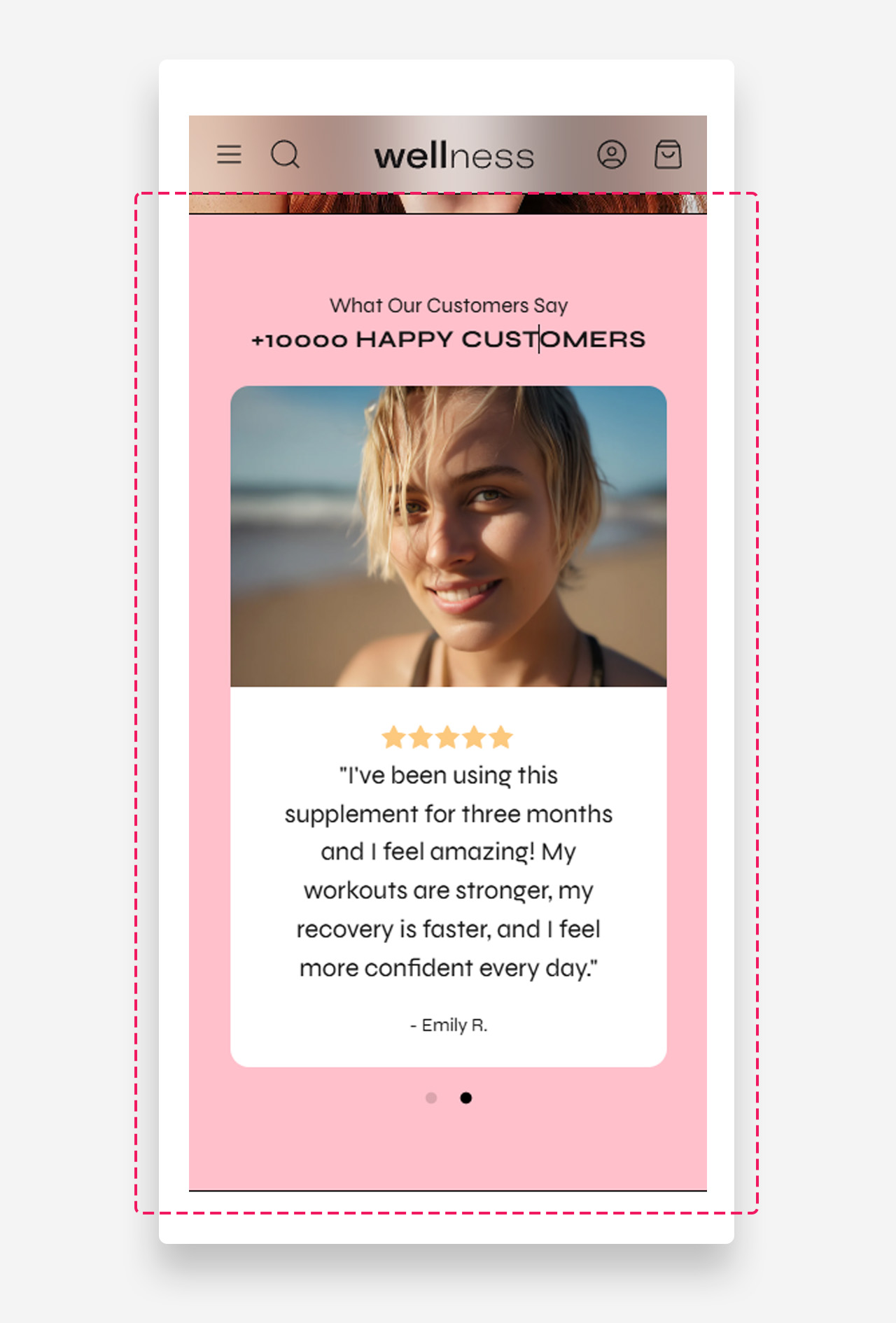
The Testimonial Images section allows you to showcase customer feedback in a visually engaging slider format. It includes dedicated blocks for images, star ratings, quotes, and author names.
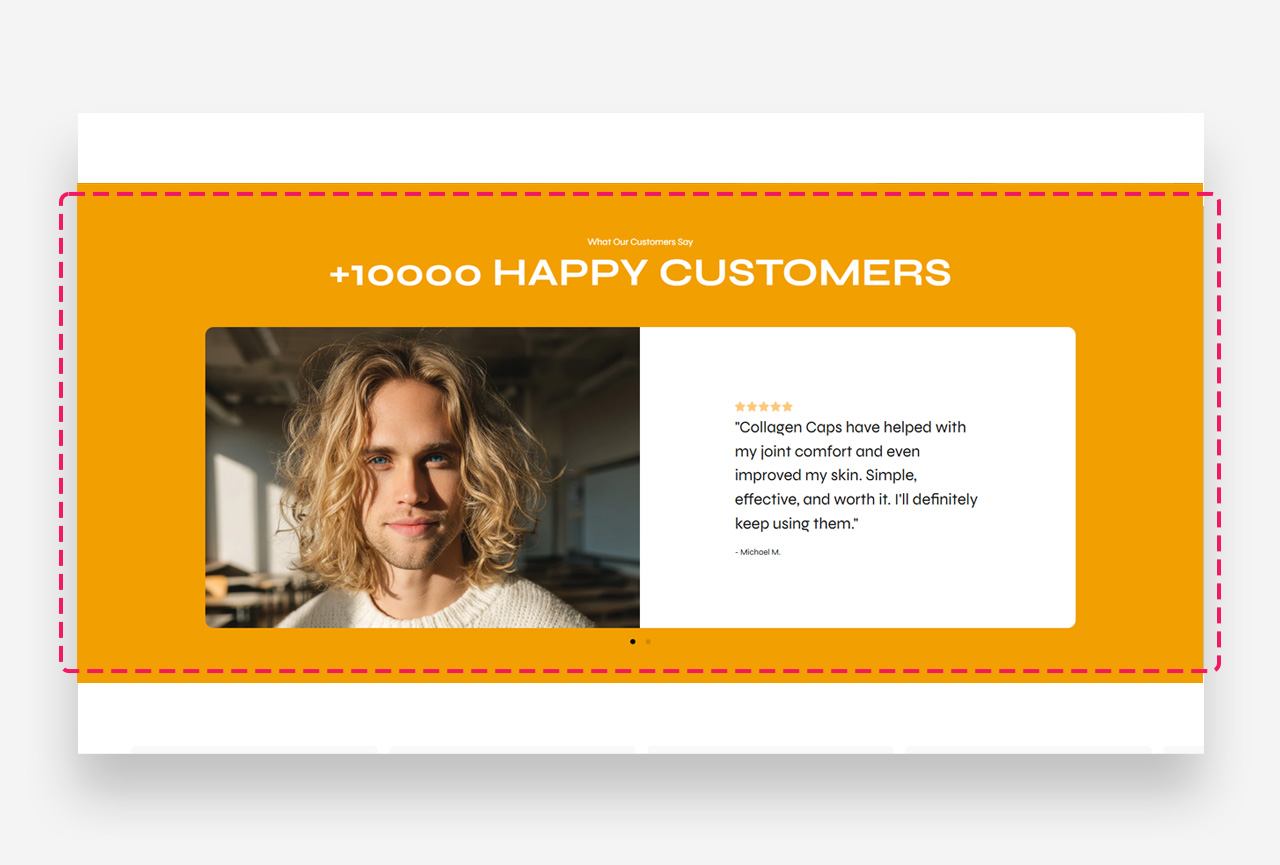
Main settings
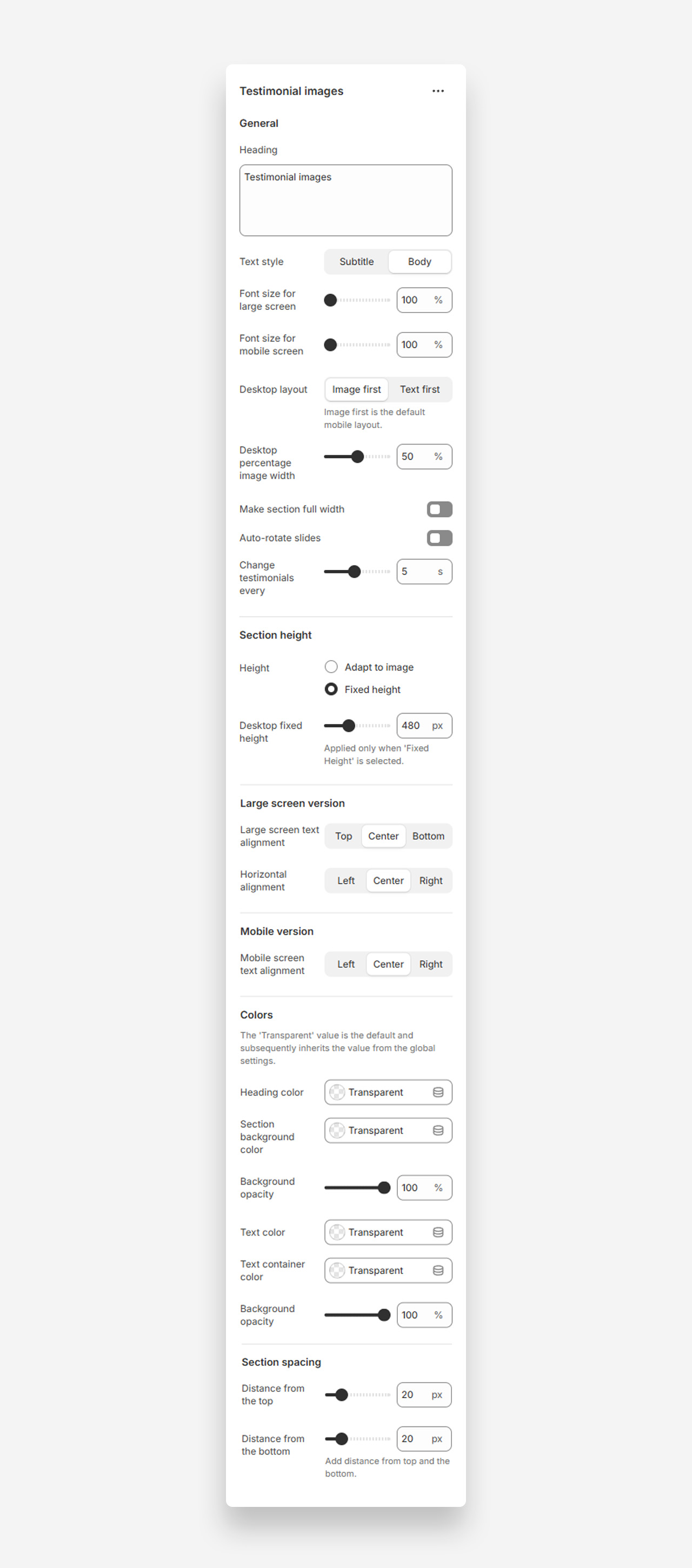
General
- Heading – Set a title like "What our customers say"
- Text style – Choose "Subtitle" or "Body" style
- Font size for large screen – Adjust heading/text size for desktop and tablets
- Font size for mobile screen – Adjust for mobile devices
- Desktop layout – Choose whether image or text appears first
- Desktop percentage image width – Set image proportion on desktop
- Make section full width – Stretch slider to full page width
- Auto-rotate slides – Cycle through testimonials automatically
- Change testimonials every – Set rotation interval in seconds
Section Height
- Height – Adapt to image size or use fixed height
- Desktop fixed height – Define height in pixels for desktop
Large screen version
- Large screen text alignment – Set vertical alignment (Top, Center, Bottom)
- Horizontal alignment – Align text left, center, or right
Mobile version
- Mobile screen text alignment – Set horizontal alignment for mobile
Colors
- Heading color – Customize heading text color
- Section background color – Set background for entire section
- Background opacity – Control transparency
- Text color – Define testimonial and author name color
- Text container color – Set text container background
- Background opacity – Adjust container transparency
Section spacing
- Distance from the top – Add spacing above section
- Distance from the bottom – Add spacing below section
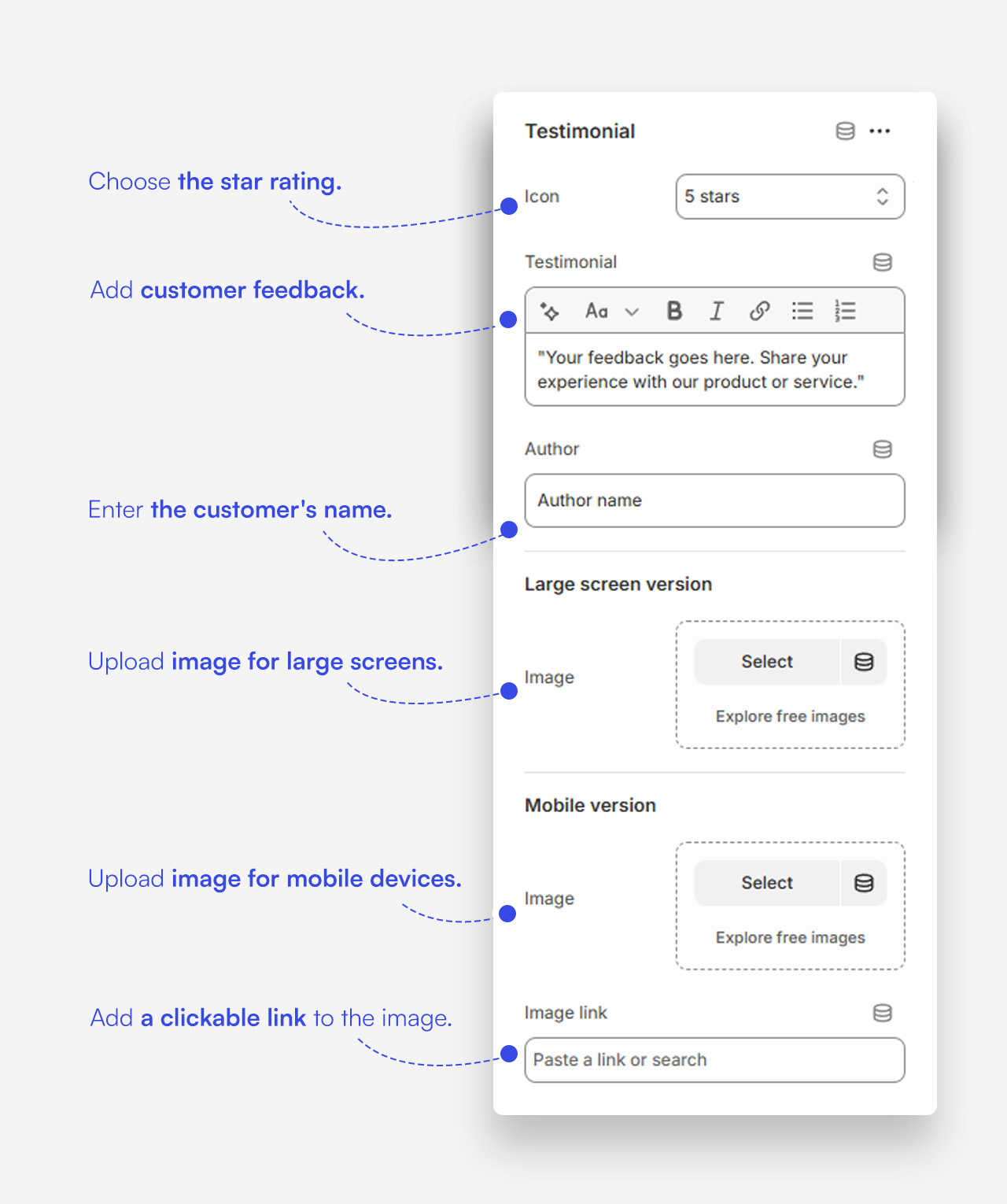
Customize Testimonial block
Click a Testimonial block to customize it.
Mobile view