Image with Video
What is the Image with Video section?
Since v1.0.0
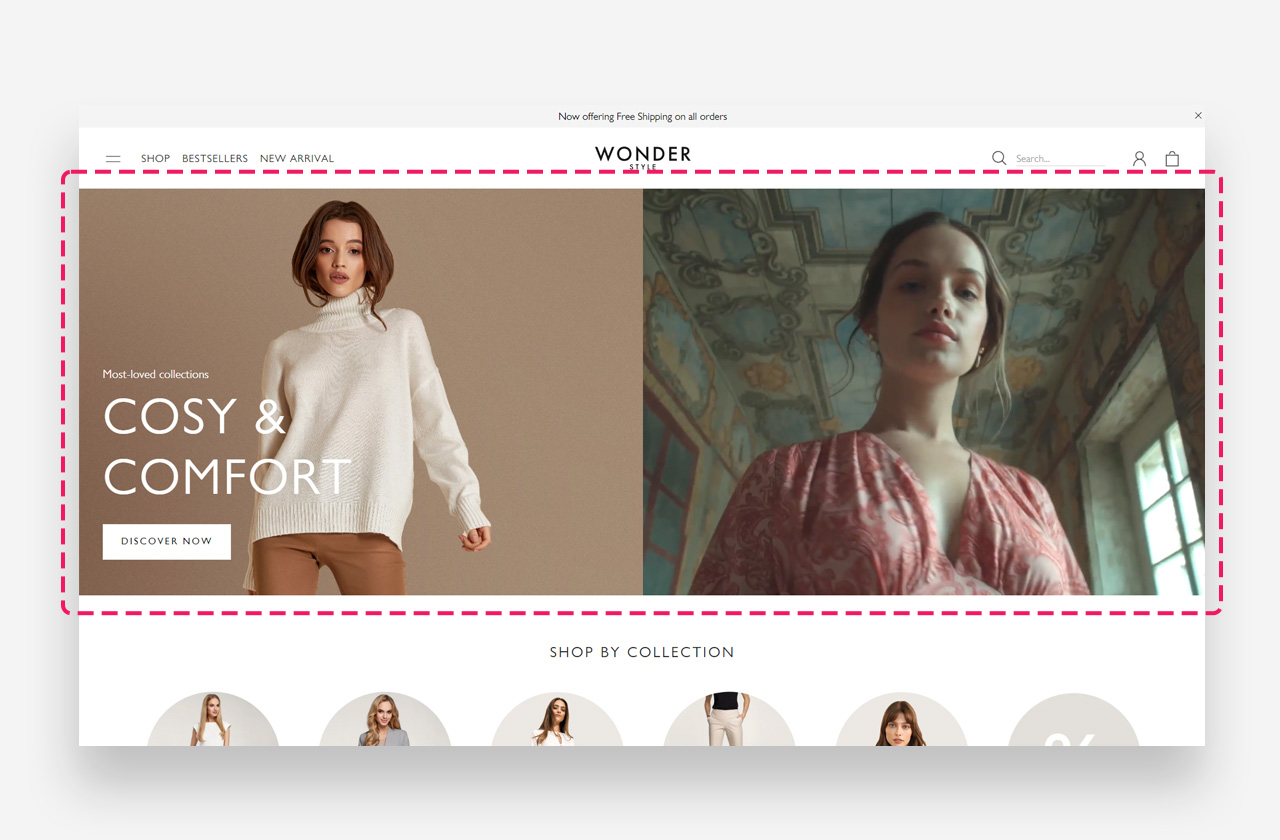
The Image with Video section is a dynamic way to engage visitors by sharing your brand's story in motion. This feature allows you to embed a video directly into your storefront.
Main settings
Heading
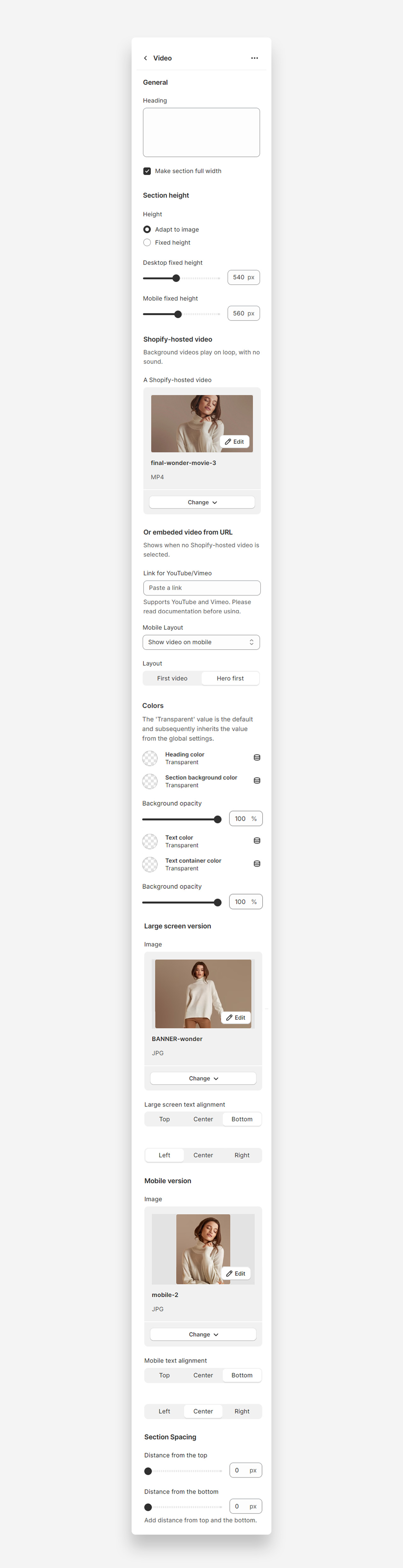
- Heading: Set the title to introduce video content.
Make Section Full Width
- Make section full width: Enable to span the entire width of the container.
Section Height
- Height: Choose between adapting to video or setting fixed height.
- Desktop fixed height: Default 540px.
- Mobile fixed height: Default 560px.
Shopify-hosted Video
- Video: Select a video hosted on Shopify. The video plays on loop without sound.
Embedded Video from URL
- Paste YouTube/Vimeo links.
- Configure mobile layout visibility.
- Select layout options (First video, Hero first).
Colors
- Heading color: Set the color of the section heading. Defaults to the value set in global settings.
- Section background color: Set the background color of the section. Defaults to the value set in global settings.
- Background opacity: Adjust opacity settings (default 100%).
- Text color: Set the text color for the section. Defaults to the value set in global settings.
- Text container color: Set the text container background color.
- Text container background opacity: Adjust the opacity of the text container.
Large Screen Version
- Image: Select image for large screens.
- Large screen text alignment: Align text vertically (Top, Center, Bottom) and horizontally (Left, Center, Right).
Mobile Version
- Image: Select image for mobile.
- Mobile text alignment: Align text horizontally (Left, Center, Right).
Section Spacing
- Distance from the top: Adjust top spacing (default 0px).
- Distance from the bottom: Adjust bottom spacing (default 0px).
Customize Heading block
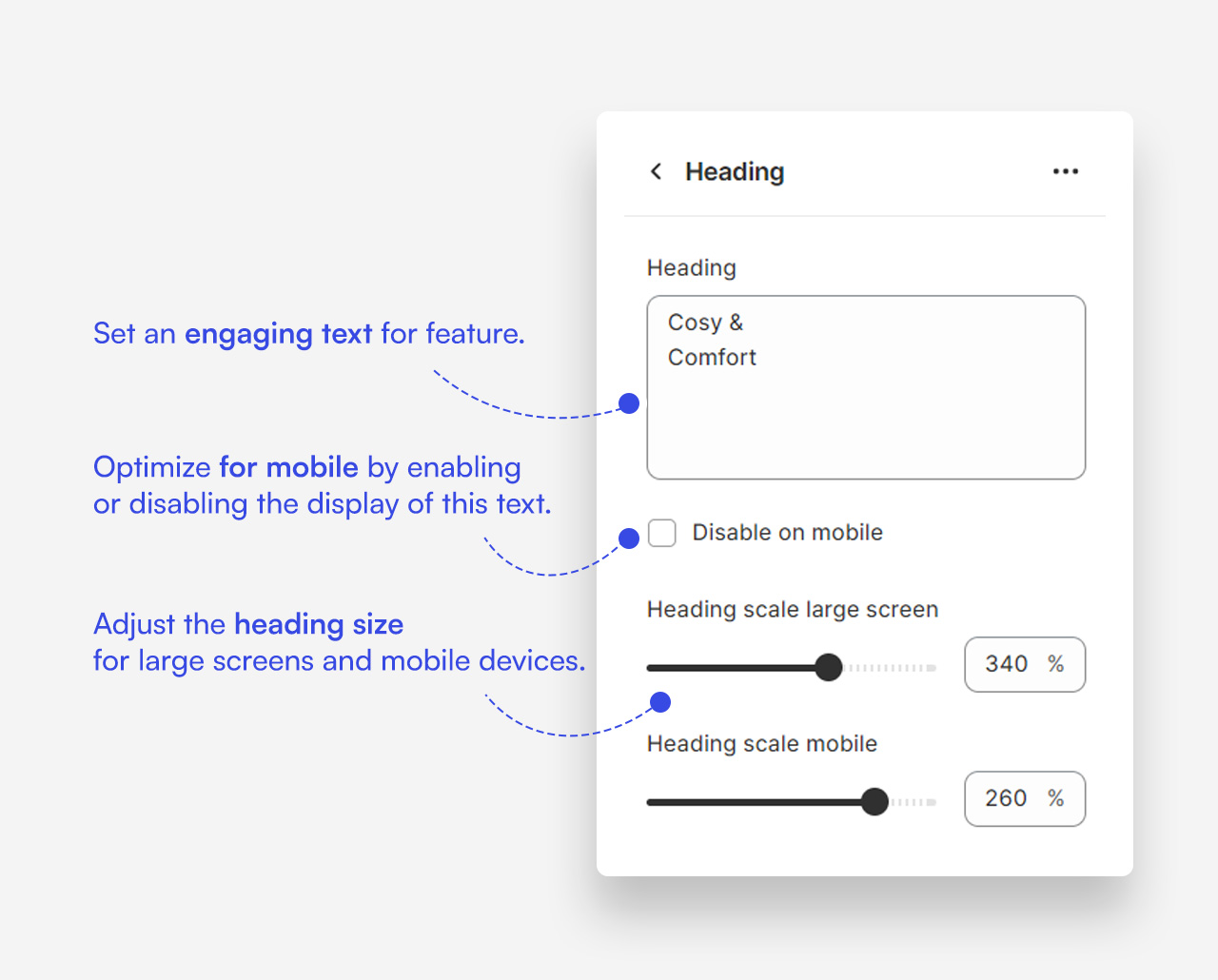
- Set a compelling headline.
- Toggle mobile visibility.
- Adjust text size for large/mobile screens.
Customize Text block
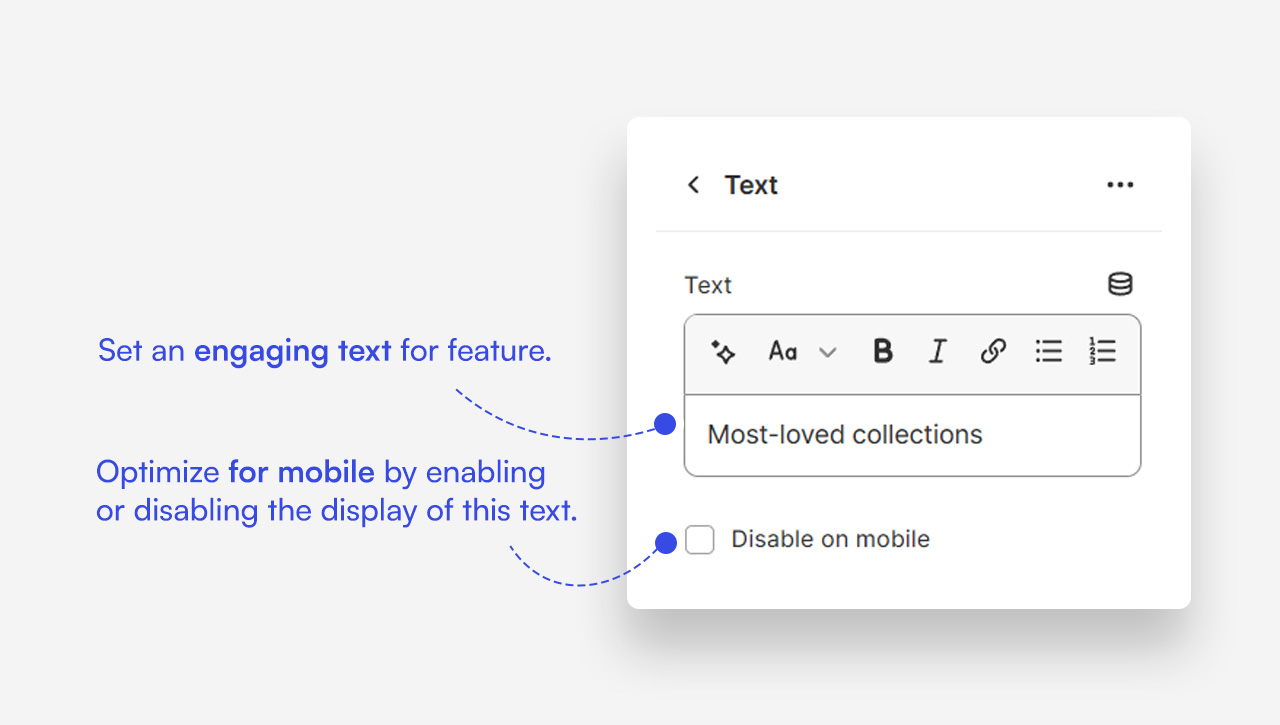
- Add a brief description or teaser.
- Control mobile visibility.
Customize Button block
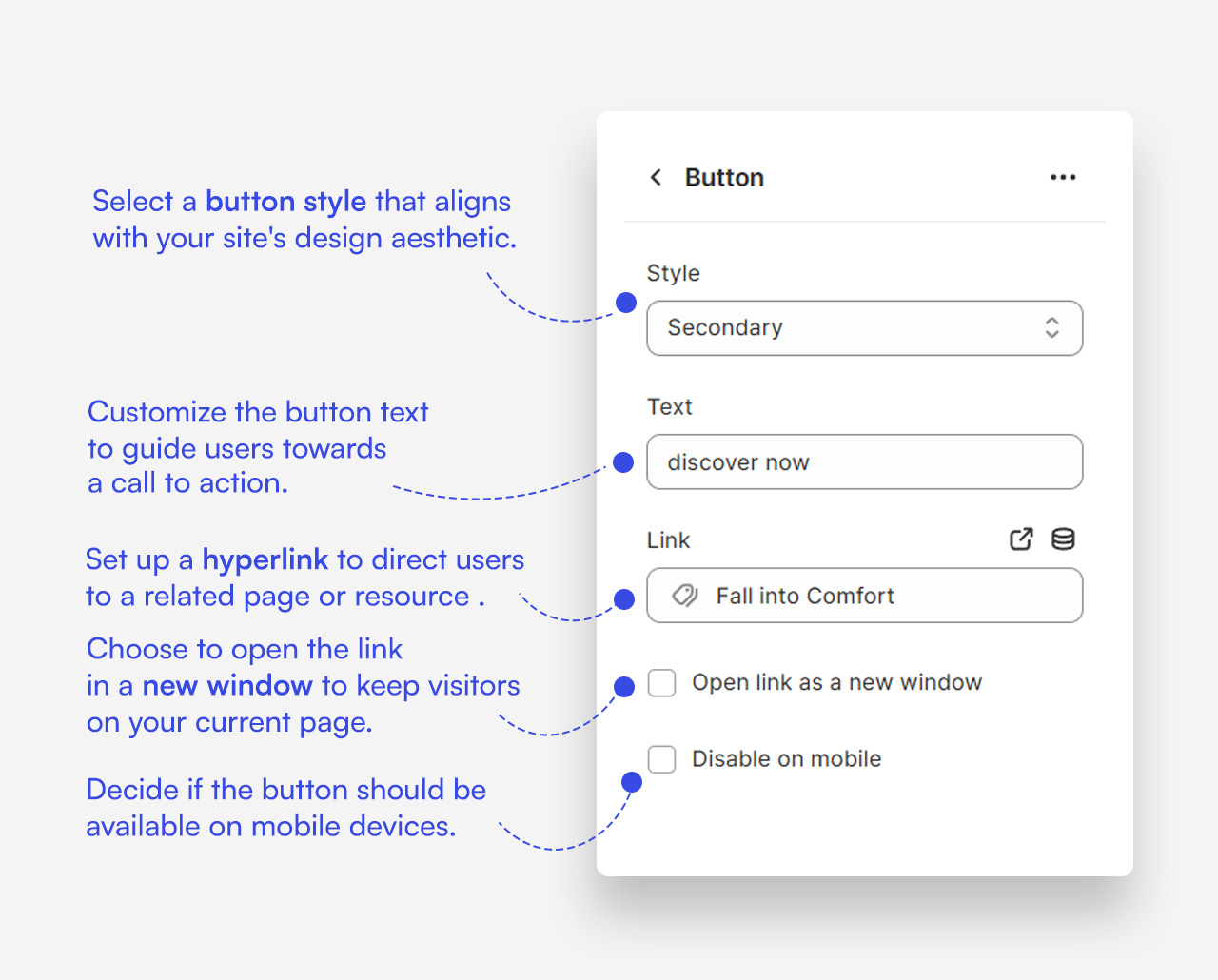
- Select button style (Primary).
- Set button text (e.g., "See all products").
- Insert destination URL.
- Toggle open in new window.
- Control mobile visibility.
Mobile view