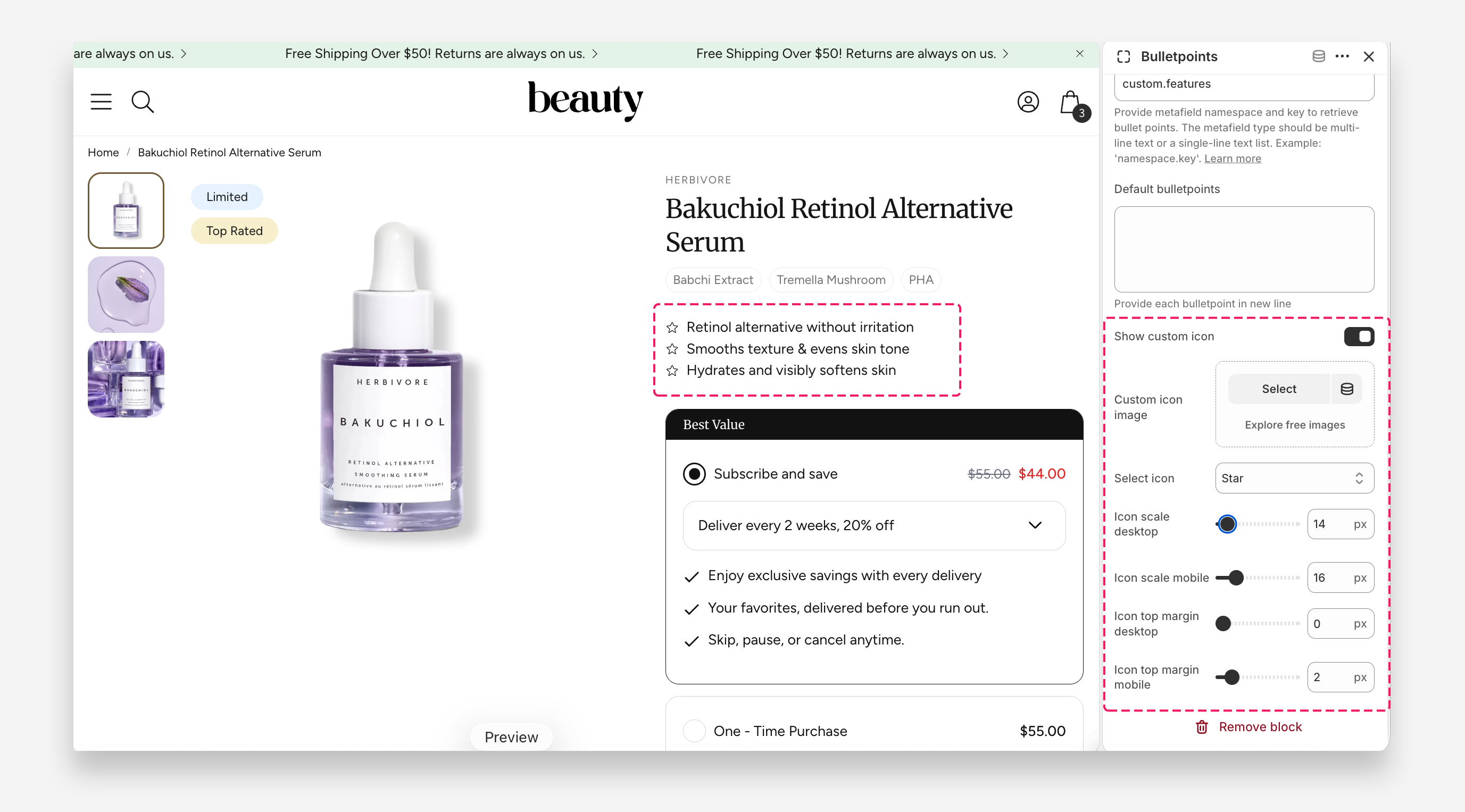
Bulletpoints block
The Bulletpoints Block is a versatile feature designed to enhance product pages on Shopify by allowing merchants to display key product information in a list format. This block enables the use of either a multi-line text or single-line text list metafield type, giving store owners the flexibility to customize the bullet points for each individual product. This ensures that product-specific attributes, features, or highlights can be easily communicated to customers.
Each product can have unique bullet points, making it simple to differentiate similar items or emphasize distinct qualities, such as materials, features, or care instructions. This dynamic approach improves the clarity of product listings and enhances the overall shopping experience.
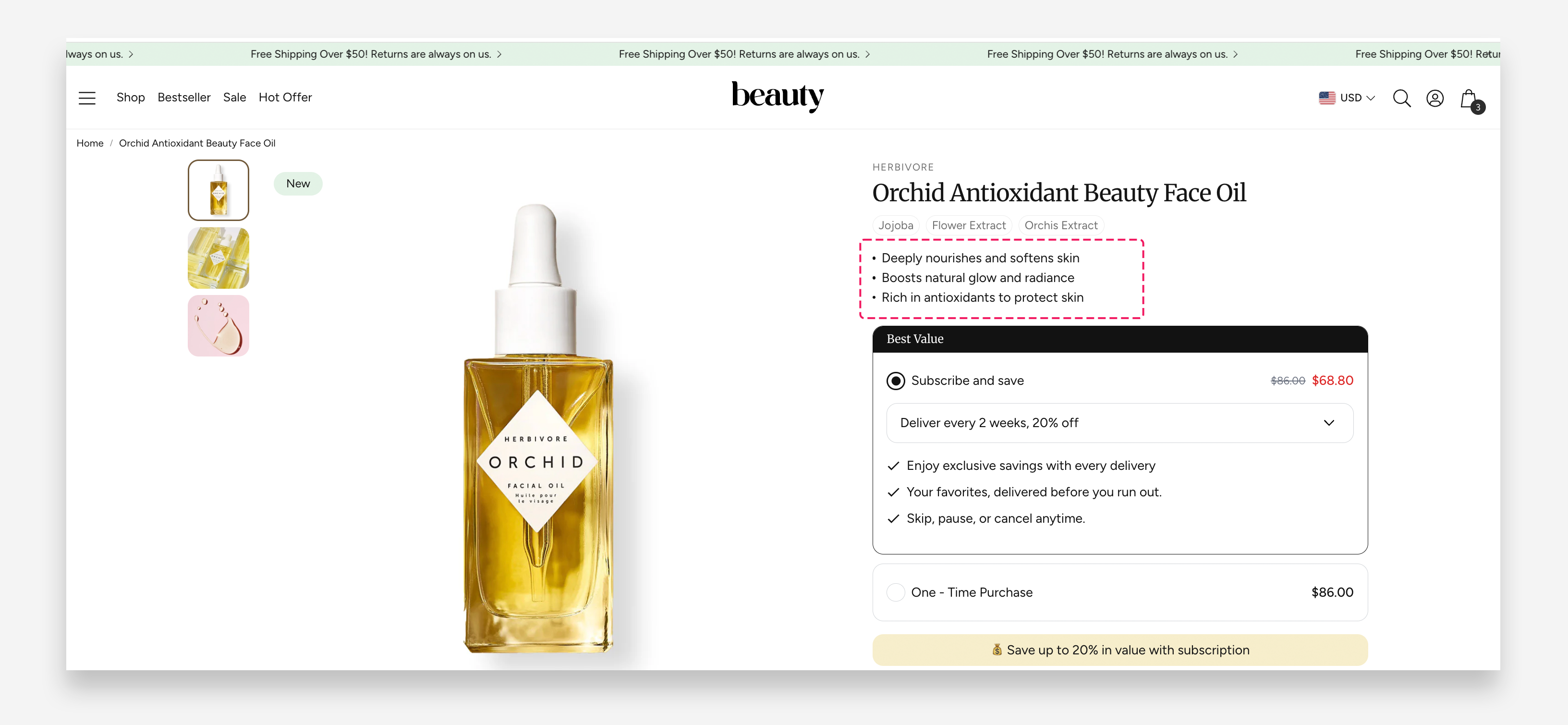
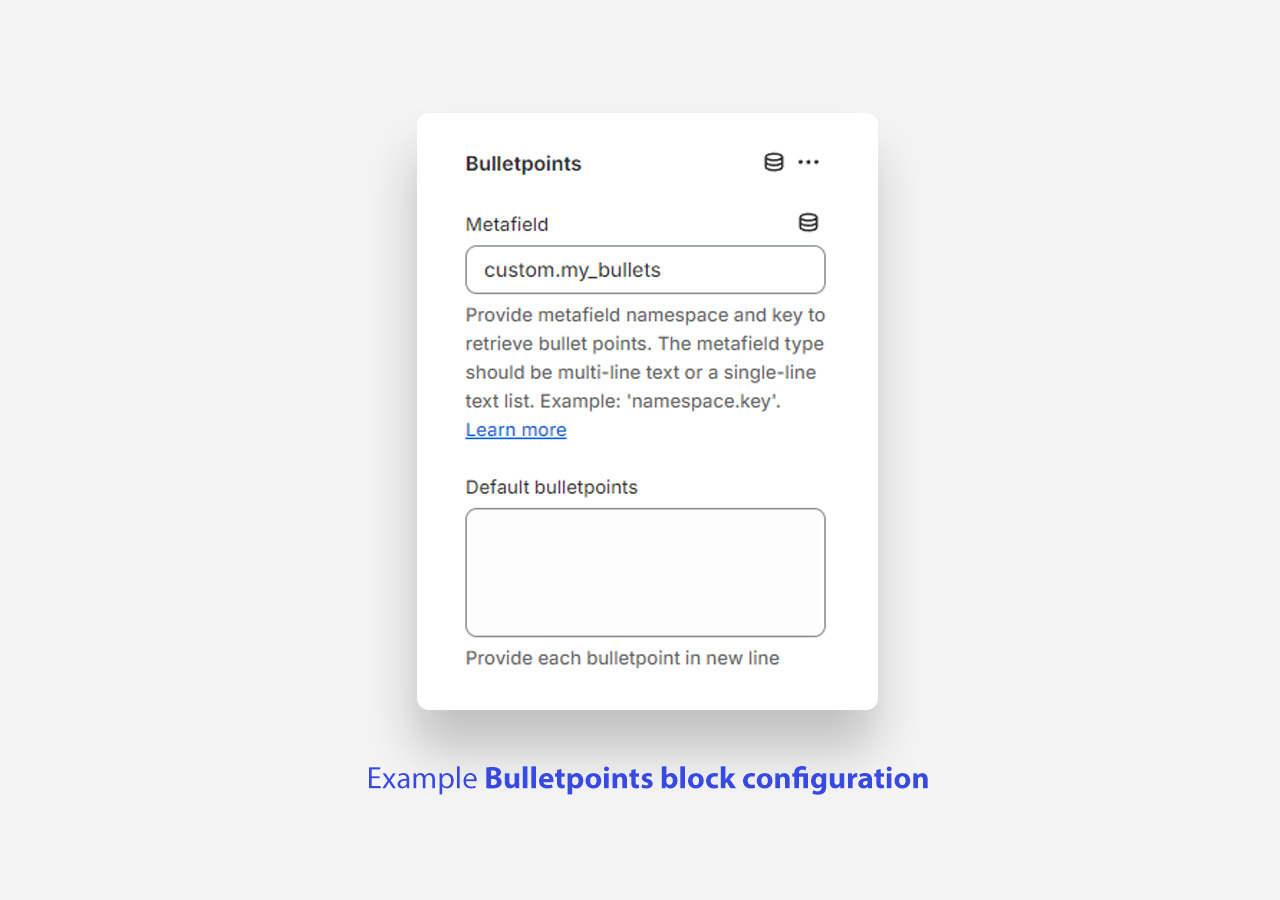
How to set up bulletpoints in customize panel
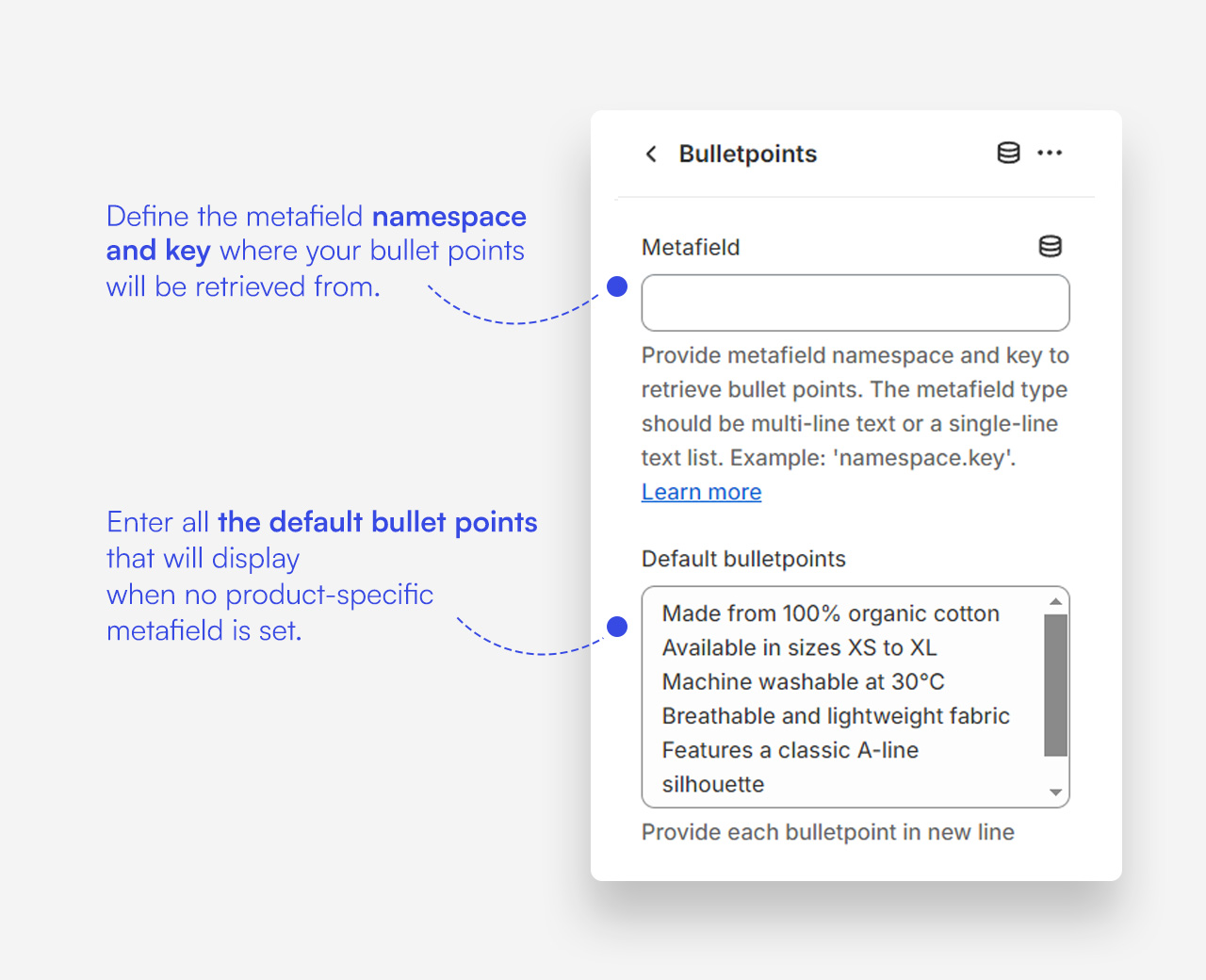
How to set up a custom metafield for bulletpoints
This metafield will store a list of bulletpoints.
- In Settings → Metafields and metaobjects → Products, click Add definition.
- Enter a name (e.g., My bullets).
- Select Multi-line text as the field type and.
- Click Save.
- Open a product, scroll down to the Metafields section, and fill in your bullet list.
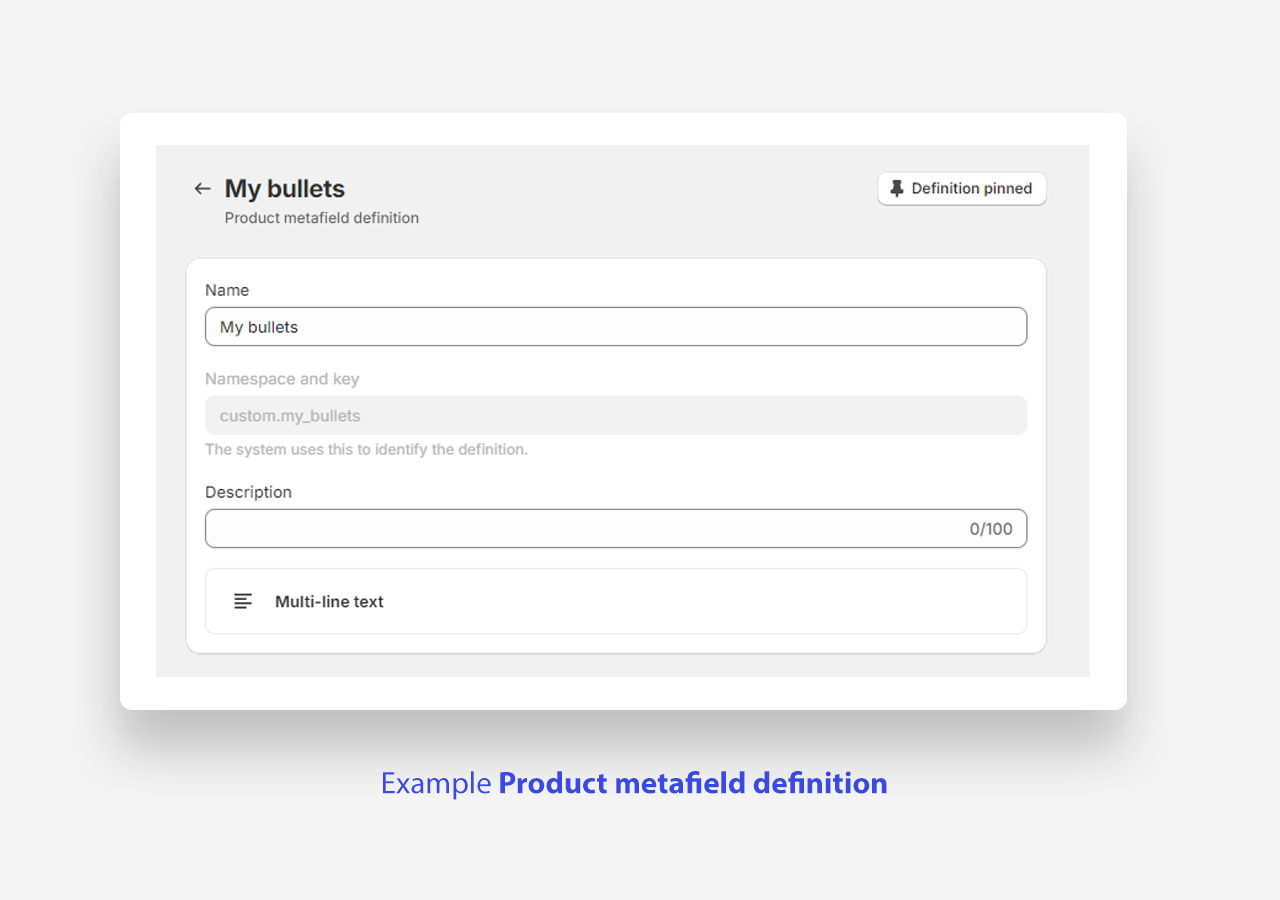
How to set up custom icons instead of default dots
By default, the Bulletpoints Block displays a simple dot before each item. You can replace these with custom icons to better match your store's branding.
- Show custom icon: Enable this toggle to display a custom icon image instead of the built-in icon.
- Custom icon image: Upload a custom icon image to display. Applied only when Show custom icon is enabled.
- Select icon: Choose a built-in icon to display — for example Check.
- Icon scale desktop: Set the size of the icon on desktop.
- Icon scale mobile: Set the size of the icon on mobile devices.
- Icon top margin desktop: Set the top margin of the icon on desktop.
- Icon top margin mobile: Set the top margin of the icon on mobile devices.