Description block
Description block
Since v1.0.0Product page
The Description block displays the product description on the product page. It can be shown as a plain text block or inside a collapsible row, keeping the page clean while still giving customers access to full product details.
Settings
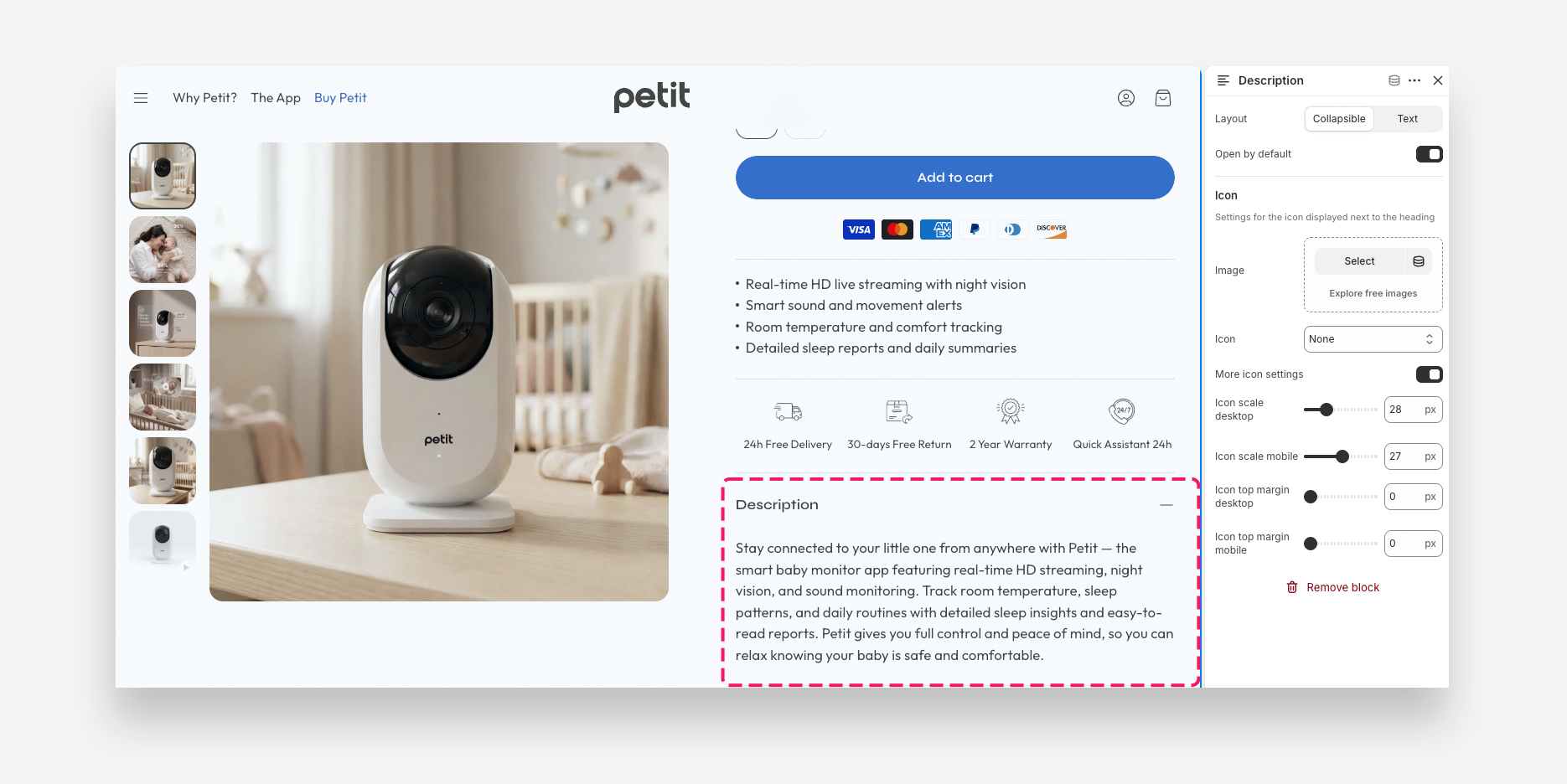
- Layout: Choose how the description is displayed — Collapsible to show it inside an expandable row, or Text to display it as static content.
- Open by default: Enable this toggle to display the collapsible row as expanded when the page loads. Applied only when Collapsible layout is selected.
Icon
Settings for the icon displayed next to the heading.
- Image: Upload a custom icon image to display next to the heading.
- Icon: Choose a built-in icon to display next to the heading. Set to None to display no icon.
- More icon settings: Enable this toggle to reveal additional icon sizing and spacing controls.
- Icon scale desktop: Set the size of the icon on desktop.
- Icon scale mobile: Set the size of the icon on mobile devices.
- Icon top margin desktop: Set the top margin of the icon on desktop.
- Icon top margin mobile: Set the top margin of the icon on mobile devices.