Buy button block
Since v1.0.0Product page
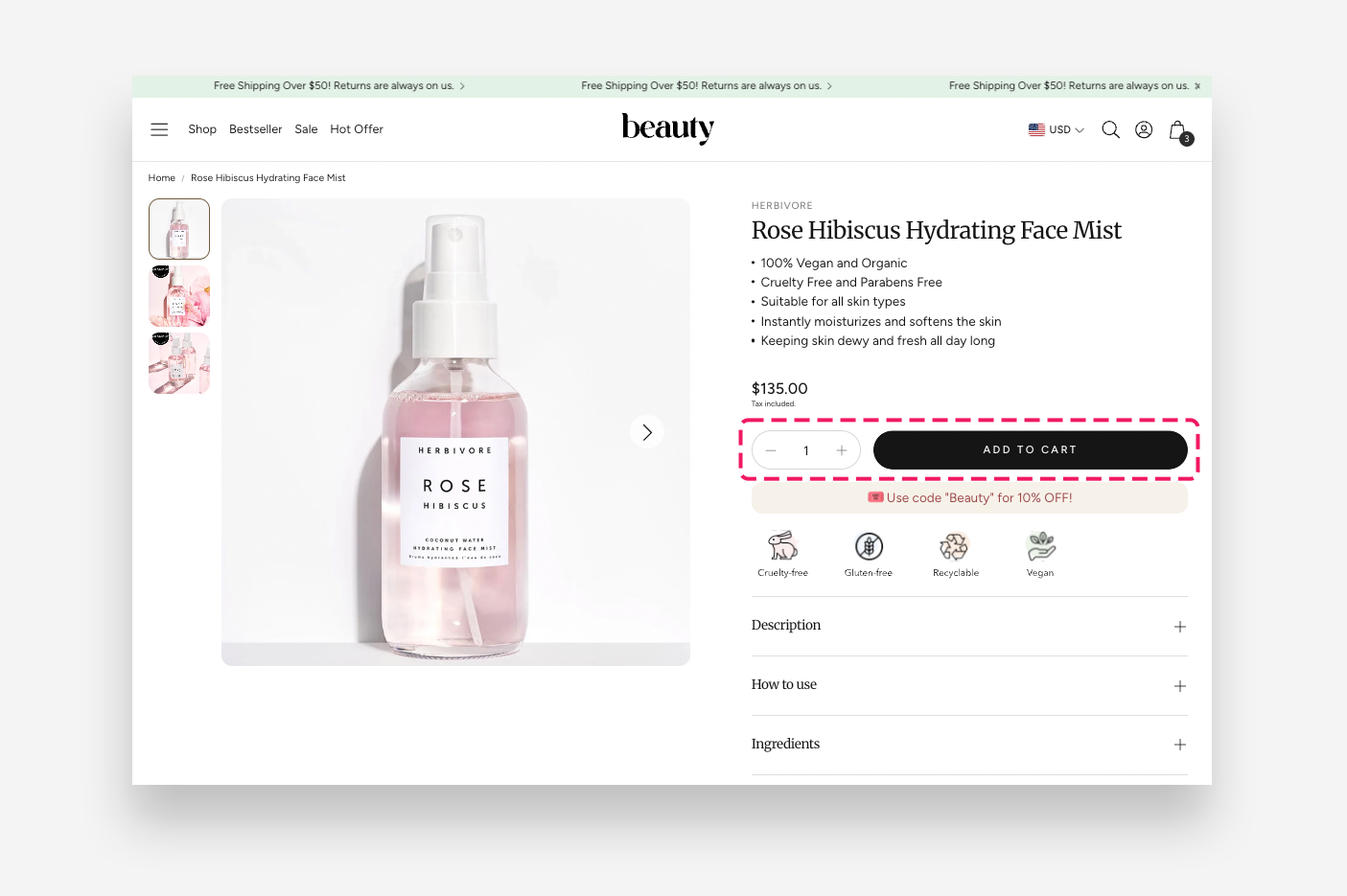
The Buy Buttons block provides customers with a streamlined shopping experience by offering dynamic checkout options such as PayPal or Apple Pay for fast transactions. It includes a feature to send gift cards with personalized messages and scheduled delivery. The checkout buttons are fully customizable in color and style, and a quantity selector is available for convenient purchasing of multiple items.
Settings
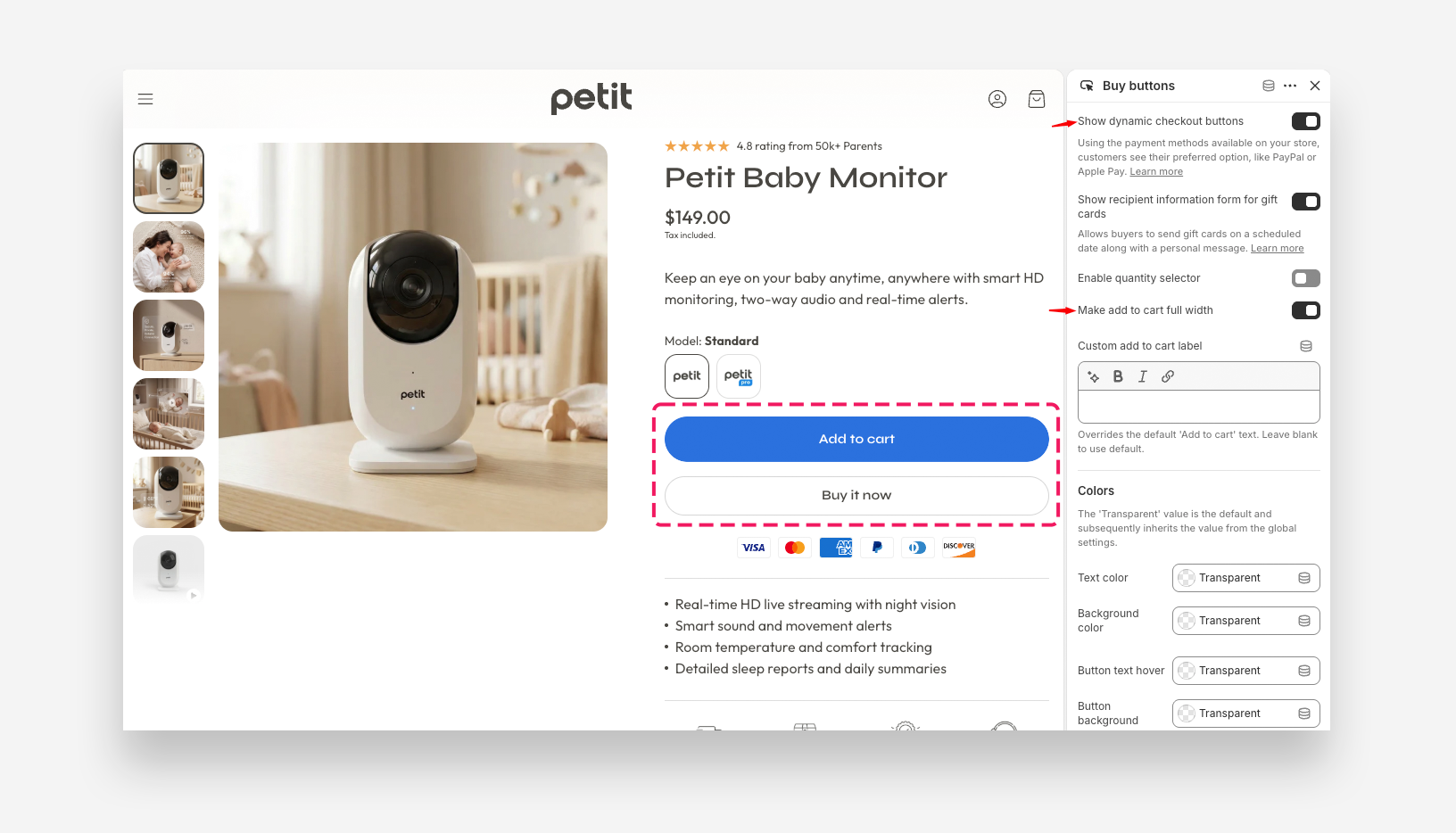
- Show dynamic checkout buttons: Enable this toggle to display express checkout buttons such as PayPal or Apple Pay, using the payment methods available on your store. Customers see their preferred option.
- Show recipient information form for gift cards: Enable this toggle to display a form that allows buyers to send gift cards on a scheduled date along with a personal message.
- Enable quantity selector: Enable this toggle to display a quantity selector so customers can choose how many items to purchase.
- Make add to cart full width: Enable this toggle to stretch the Add to Cart button to the full width of the product form. This option is only visible when the quantity selector is disabled.
- Custom add to cart label: Enter a custom label to override the default Add to Cart button text. Leave blank to use the default text.
Colors
- Text color: Set the text color of the buy buttons area.
- Background color: Set the background color of the buy buttons area.
- Button text hover: Set the text color of the buttons on hover.
- Button background hover: Set the background color of the buttons on hover.