Collapsible tab row
Collapsible tab row
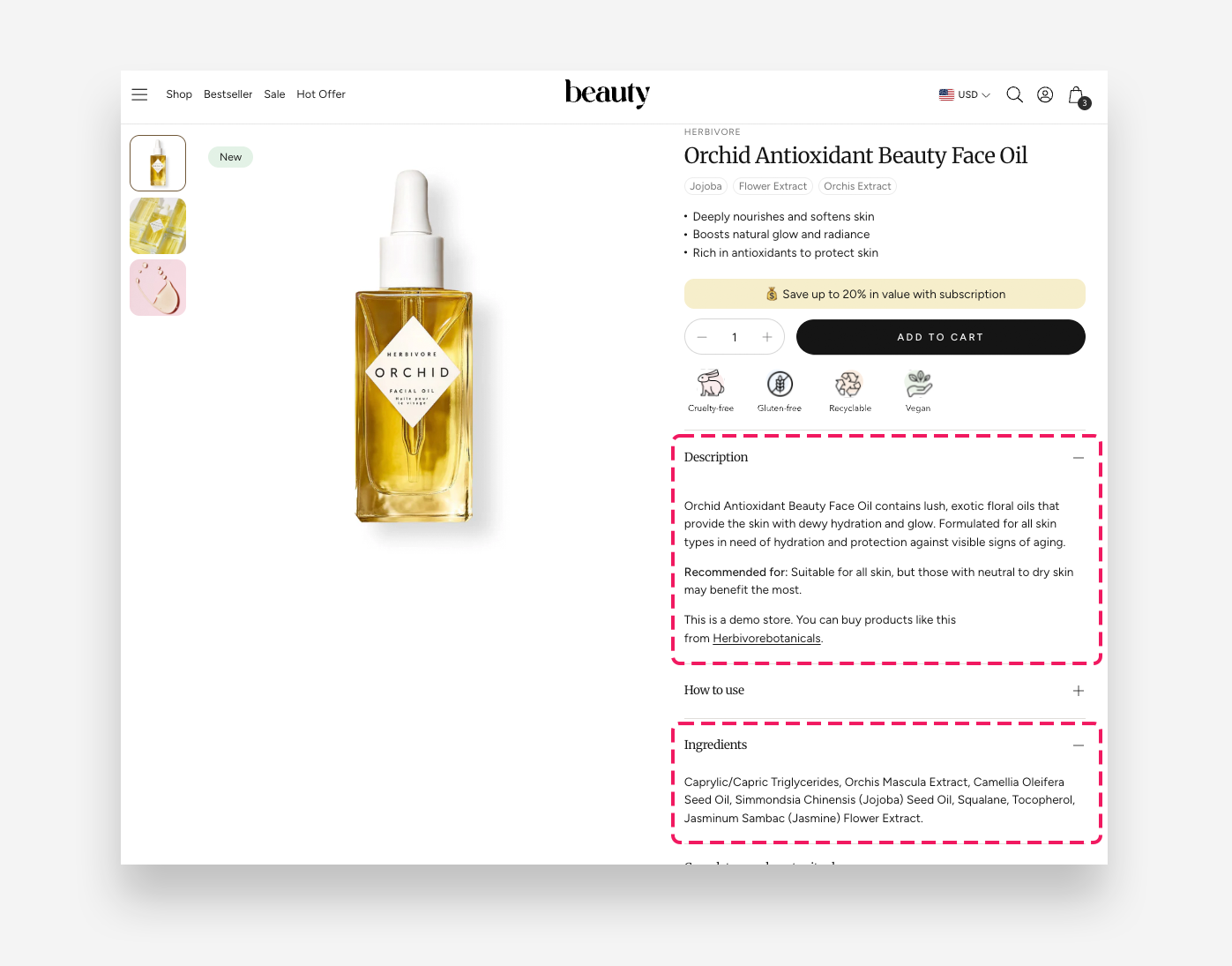
The Collapsible Row block displays a toggleable accordion row on the product page, allowing customers to expand and collapse content sections such as descriptions, ingredients, or usage instructions. Multiple collapsible rows can be added to keep the product page clean and organized.
Main Settings
- Heading: Enter the label displayed on the collapsible row header. Include a heading that explains the content.
- Tab content: Add the content displayed inside the collapsible row when expanded. To insert a variant metafield, use the format:
[[metafield_name]]— for example:[[width]]. - Variant metafield variables: Define variant metafield keys using the format
variable_name:namespace.key. The metafield type should be a single-line text. - Tab content from page: Select a page whose content will be used as the tab content instead of the manually entered text above.
- Open by default: Enable this toggle to display this row as expanded when the page loads.
Icon
Settings for the icon displayed next to the heading.
- Image: Upload a custom image to use as the icon.
- Icon: Choose an icon from the built-in icon library.
- More icon settings: Enable this toggle to access additional icon configuration options.
- Icon scale desktop: Define the size of the icon on desktop.
- Icon scale mobile: Define the size of the icon on mobile devices.
- Icon top margin desktop: Adjust the spacing above the icon on desktop.
- Icon top margin mobile: Adjust the spacing above the icon on mobile devices.
Variant metafield
The Variant metafield setting allows the row content to reload automatically when the customer selects a different variant. This is useful when different variants have different care instructions, materials, or specifications.
To use this feature:
- Create a metafield definition for Variants in Settings > Metafields and metaobjects> Variants
- Assign content to each variant's metafield
- In the block settings, enter the metafield namespace and key (e.g.
custom.care_instructions)
When a customer switches variants, the collapsible row content updates to show the information specific to that variant. If no variant metafield is set, the row displays the same static content for all variants.