Feature tags block
Since v1.0.0Product page
The Feature Tags block lists product features sourced from a specified metafield, displayed as styled tags on the product page. It is ideal for highlighting key product attributes such as ingredients, certifications, or properties in a visual tag format.
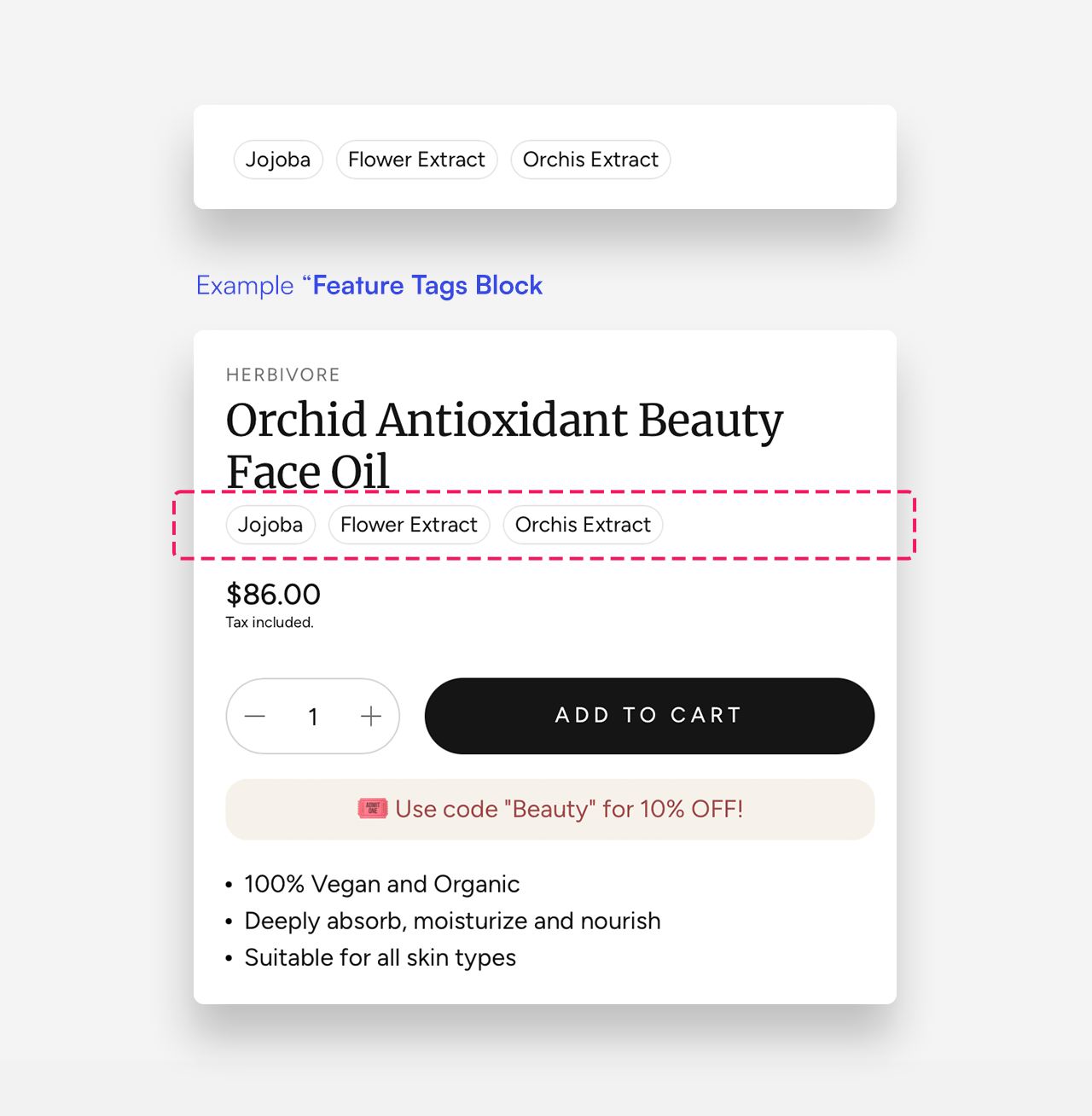
Settings
- Metafield: Enter the namespace and key of the metafield holding the list of feature tags, using the format
namespace.key— for examplecustom.feature_tags. The metafield should be a list of single-line text or a list of metaobjects containing a Label field. - Limit: Set the maximum number of feature tags to display.
- Text color: Set the text color of the feature tags.
- Border color: Set the border color of the feature tags.
How to Set Up the Feature Tags Block
Follow these steps to display key product attributes using the Feature Tags block:
1. Create a Metaobject and Product Metafield
- Navigate to Settings → Metafields and metaobjects → Metaobject definitions.
- Click Add Definition and create a metaobject.
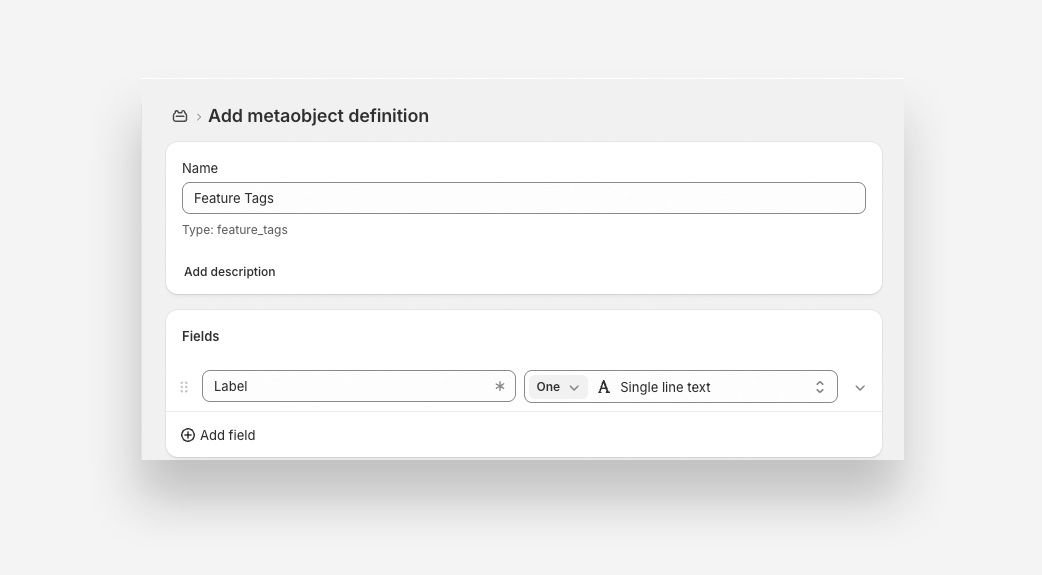
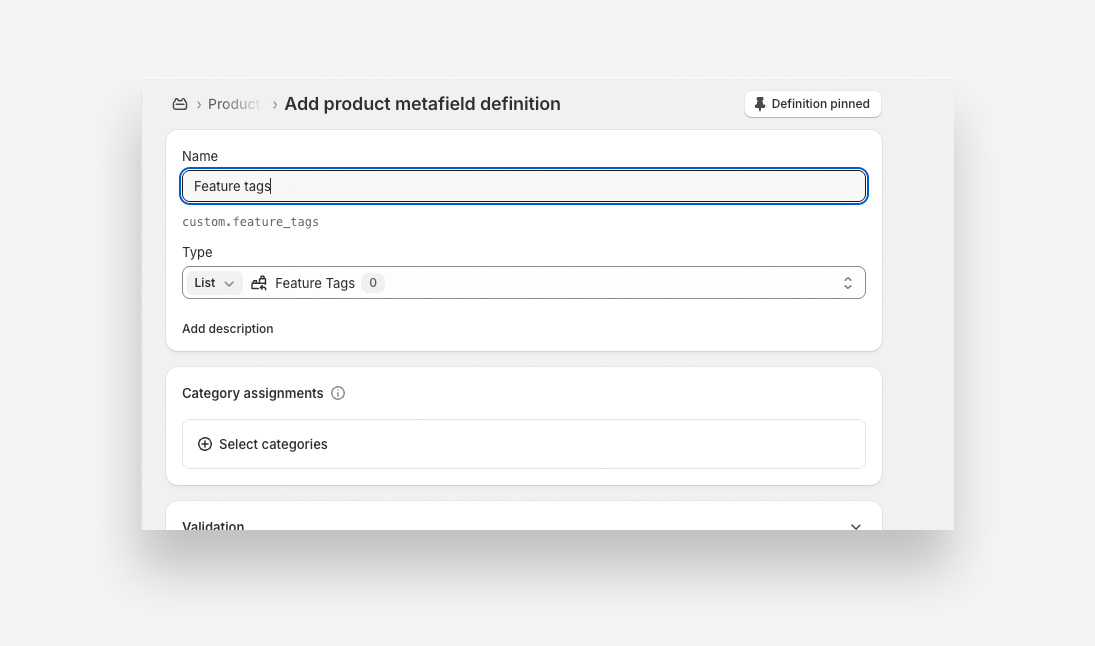
- Navigate to Settings → Metafields and metaobjects → Products.
- Click Add Definition and create a metafield. Type: List then select the created Metaobject from the list.
- Save the metafield.
2. Assign Metafield Values to a Product
- Open the Products section in Shopify.
- Select the product you want to customize.
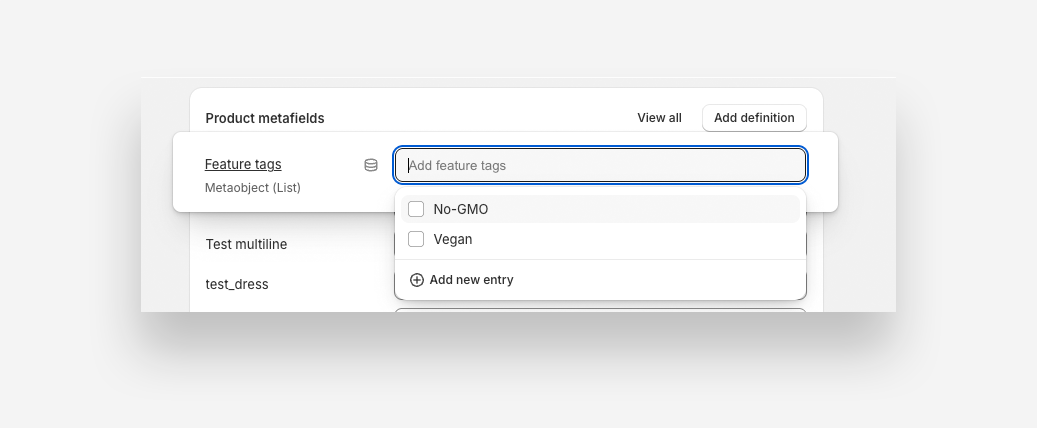
- Scroll to the Metafields section and choose the metafield you just created.
- Add the items (features) you want to display. You can select from the lsit or add a new one.
- Click Save .
3. Add the Feature Tags Block to Your Product Page
- Go to Online Store → Customize (Theme Editor).
- Select the Product template where you want to add the feature tags.
- Inside the Product information section, click Add block and select Feature Tags .
- In the Metafield setting , enter the namespace and key of the metafield (e.g., custom.feature_tags).
4. Save and Publish
- Click Save to apply the changes.
- Preview the product page to ensure the feature tags display correctly.