Estimated Delivery block
Estimated Delivery block
Since v2.5.0Product page
The Estimated Delivery block displays a shipping estimate message with an icon on the product page, letting customers know when they can expect their order to arrive. It's available on the Product information section and can be added via Add block. To edit this block, select it from the Template list in the editor.
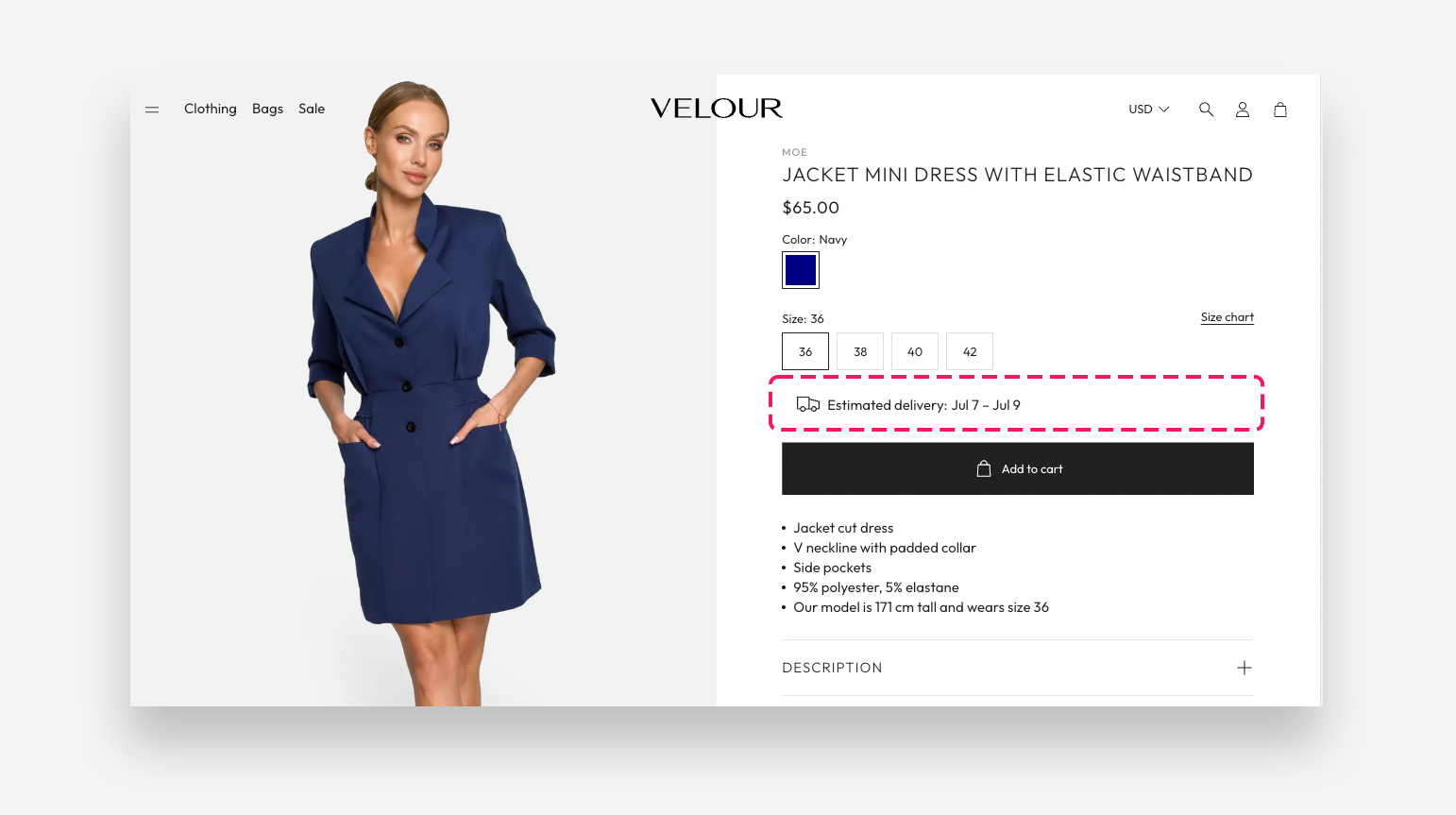
Main Settings
General
- Label: Enter the text shown before the delivery estimate (e.g. "Estimated delivery:"). Supports basic rich text formatting — bold, italic, and links.
- Delivery value: Enter the delivery estimate as a number of days (
3), a range (3-5), or a specific date (YYYY-MM-DD). Can also be connected to a dynamic source to pull from a product metafield. - Exclude weekends: Enable this toggle to skip Saturdays and Sundays when calculating the estimated delivery date.
- Font transform: Choose the text casing for the block — None or Uppercase.
Icon
- Image: Select a custom image to use in place of the default icon. You can also explore free stock images.
- Select icon: Choose from the built-in icon library (e.g. Truck) to display alongside the delivery message.
- More icon settings: Enable this toggle to reveal additional icon controls.
- Icon scale desktop: Set the icon size on desktop, in pixels.
- Icon scale mobile: Set the icon size on mobile, in pixels.
- Icon top margin desktop: Adjust the top spacing above the icon on desktop.
- Icon top margin mobile: Adjust the top spacing above the icon on mobile.
- Gap: Set the spacing between the icon and the text.
Colors
- Text color: Set the color of the label and delivery text.
- Background color: Set the background color behind the block.