Specification table block
Since v1.0.0
The Specification Table block provides a clean and organized way to display detailed product information directly on the product page. It appears inside a collapsible row, allowing you to keep your product page visually minimal while still giving customers access to all key specifications when needed. The content is sourced from a product metafield, so each product can be linked to unique data — such as dimensions, materials, or technical details — displayed in a structured table format. This flexible and space-saving design ensures consistency across your store while keeping product pages neat and informative.
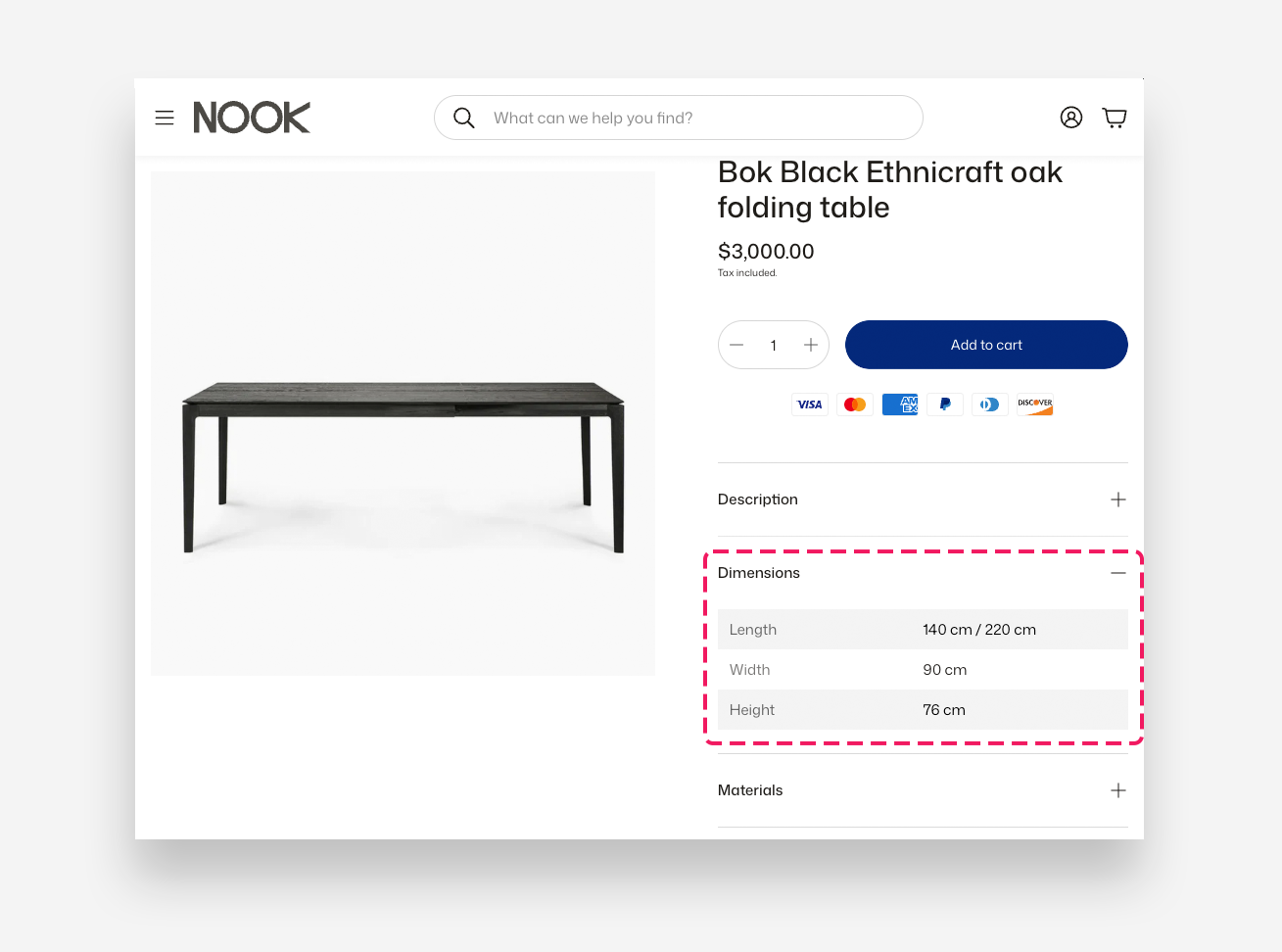
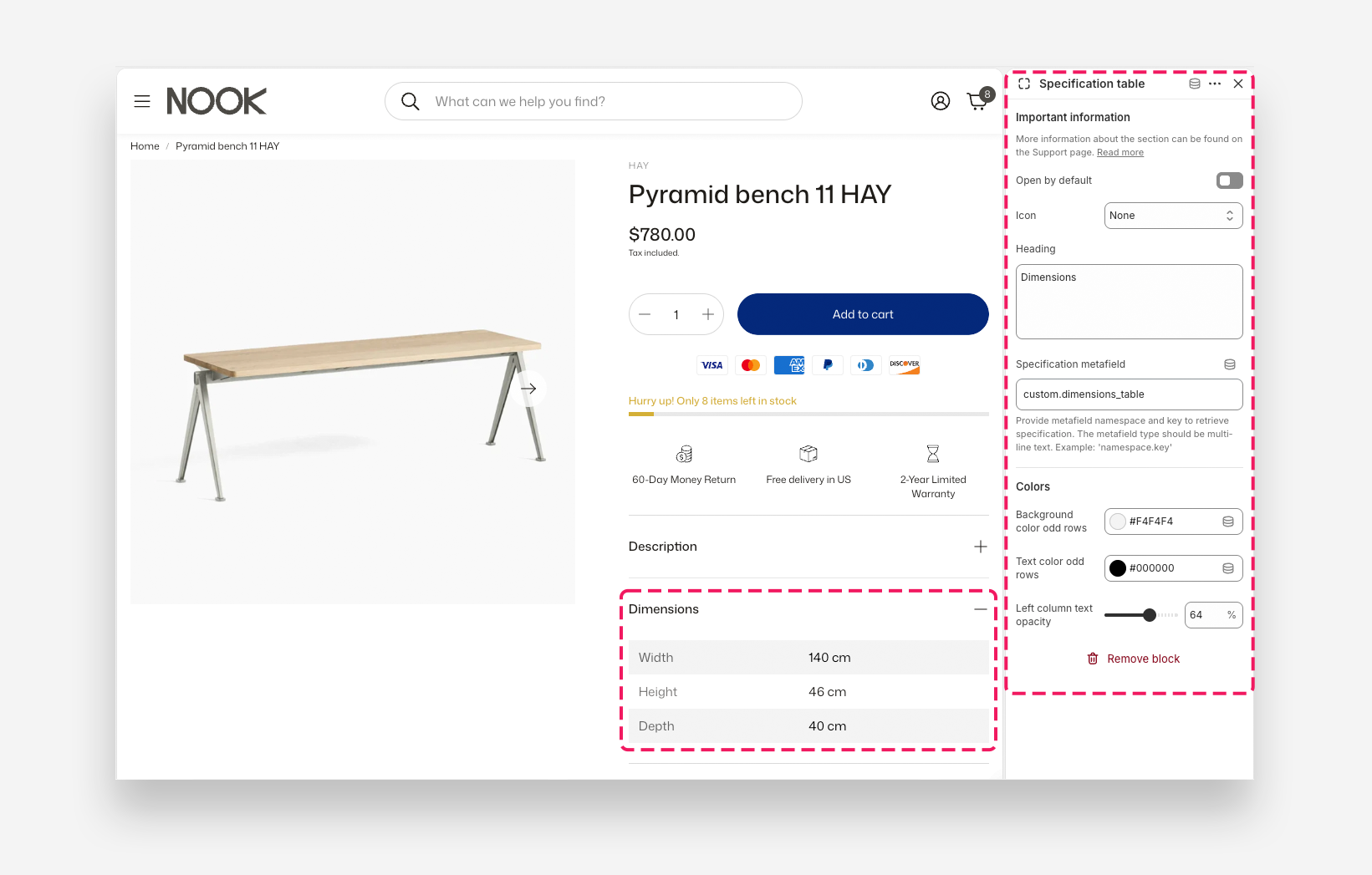
Settings
- Open by default: Enable this toggle to display the specification table as expanded when the page loads.
- Icon: Choose a built-in icon to display next to the heading.
- Heading: Enter the label displayed on the collapsible row header — for example Dimensions.
- Specification metafield: Enter the metafield namespace and key used to retrieve the specification data, using the format
namespace.key— for examplecustom.dimensions_table. The metafield type should be multi-line text.
Colors
- Background color odd rows: Set the background color of the odd-numbered rows in the specification table.
- Text color odd rows: Set the text color of the odd-numbered rows in the specification table.
- Left column text opacity: Adjust the opacity of the text in the left column of the table.
How to set up specification table block?
- Create a product metafield of type Multi-line text .
- Fill in the specification table metafield
- The first line represents the header (left column) , and the next lines are the content (right column) .
- Each additional row should be separated by one empty line (see the video)
- Add a Specification Table block and connect it to the metafield created in the previous step.
- Customize the table appearance by adjusting:* Background and text color for odd rows
- Brightness for the header column